
Introduction
2011-08-18: Today is a sad day 🙁 http://gizmodo.com/5832291/hp-killing-webos .
2011-08-15: This app has been accepted in Palm App Catalog so you should be able to install it from there .
2011-05-23: Source code for this app is now available on google code .
Wake-on-LAN (WoL) is an application for the Palm WebOS that sends a magic packet to remotely wake up computers and other devices. For more information about WoL please see the wikipedia page for it.
Below is a quick video demo of this application.
Screenshots
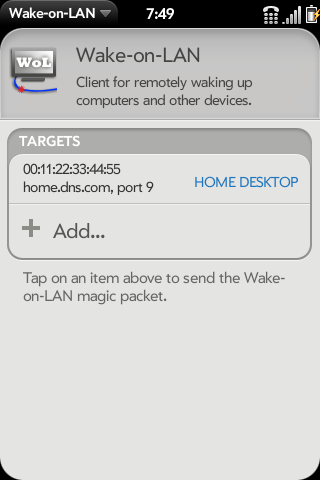
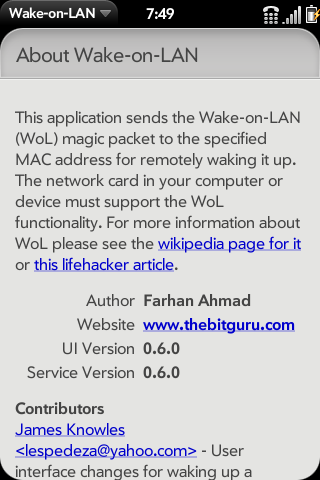
The interface is very simple. You add a target, and then click on the item in the list to send the magic packet.


How to get it
If you have webOS 2.0 or newer then you can install it from the official Palm App Catalog. Search for “Wake on LAN Client.”
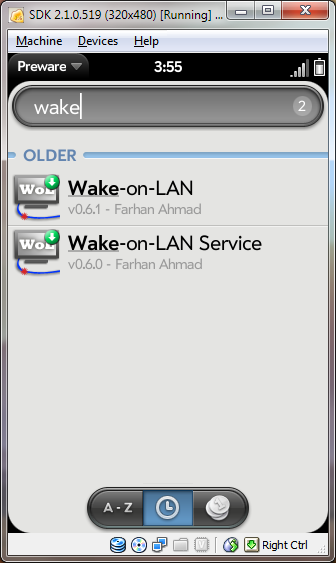
If you have a device that is on webOS versions older than 2.0 then you will have to use Preware. Because of the use of undocumented APIs, this application will not be available in the regular Palm App Catalog for pre-2.0 webOS. Instead you will have to install one of the homebrew installers like Preware that has the Preware repository as a source. The application is available in there as “Wake-on-LAN client.”
Disclaimer / Licensing
The MIT License

Copyright© 2009 Farhan Ahmad

Permission is hereby granted, free of charge, to any person obtaining a copy
of this software and associated documentation files (the “Software”),
to deal in the Software without restriction, including without limitation the
rights to use, copy, modify, merge, publish, distribute, sublicense, and/or
sell copies of the Software, and to permit persons to whom the Software is
furnished to do so, subject to the following conditions:

The above copyright notice and this permission notice shall be included in
all copies or substantial portions of the Software.

THE SOFTWARE IS PROVIDED “AS IS”, WITHOUT WARRANTY OF ANY KIND, EXPRESS OR
IMPLIED, INCLUDING BUT NOT LIMITED TO THE WARRANTIES OF MERCHANTABILITY,
FITNESS FOR A PARTICULAR PURPOSE AND NONINFRINGEMENT. IN NO EVENT SHALL THE
AUTHORS OR COPYRIGHT HOLDERS BE LIABLE FOR ANY CLAIM, DAMAGES OR OTHER
LIABILITY, WHETHER IN AN ACTION OF CONTRACT, TORT OR OTHERWISE, ARISING
FROM, OUT OF OR IN CONNECTION WITH THE SOFTWARE OR THE USE OR OTHER DEALINGS
IN THE SOFTWARE.