Delete from Disk
One thing I have missed in OS X is a powerful media player like MediaMonkey. iTunes gets a good part of the job done, but doesn’t have everything that I need. Plus, I hate the fact that it doesn’t display the ratings that I have on the files from my Windows machine. So, I have been exploring my options and one possibility is Songbird. It it better, but still lacks in some places (once again, ratings). I am still playing around with Songbird because, compared to iTunes, it is a lot easier to create add-ins for Songbird.
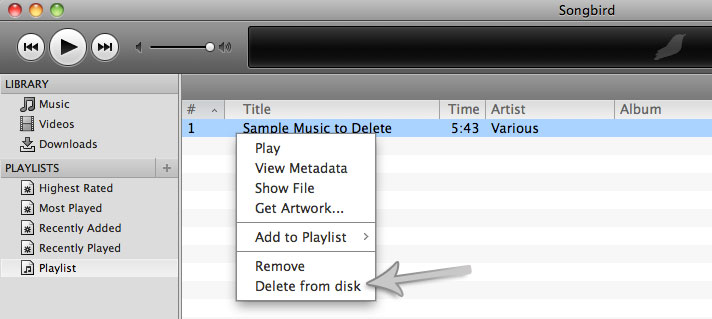
The first thing that I noticed missing from Songbird was the ability to delete songs that are not “managed” by Songbird. This is pretty much how iTunes behaves as well. I did not like this because I like control. If I added a file to a playlist then I would also like to have the ability to delete it from both the playlist and the file system.
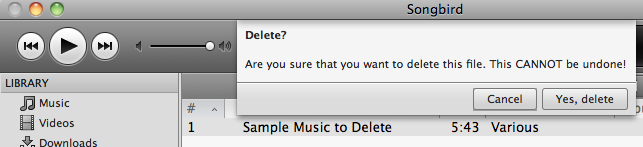
So, instead of using the prescribed “1-start rating” to denote deletions I decided to explore Songbird extension development. I am glad to report that I was able to figure out the framework and actually just published an extension in the official repository to do just that: Delete from Disk. If you are a Songbird user looking for this functionality then you don’t need to look any further. Browse to the extensions page in Songbird and search for Delete from Disk.

Code for this extension is available at delete-from-disk.googlecode.com.